.
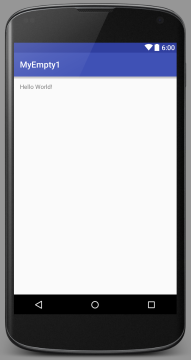
101-Android Studio 1.5 Empty Activity Template
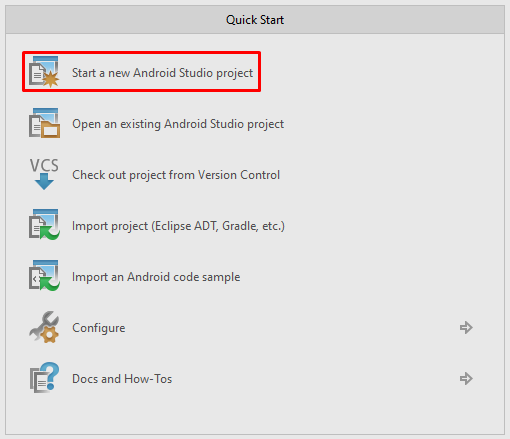
1) Create New Project
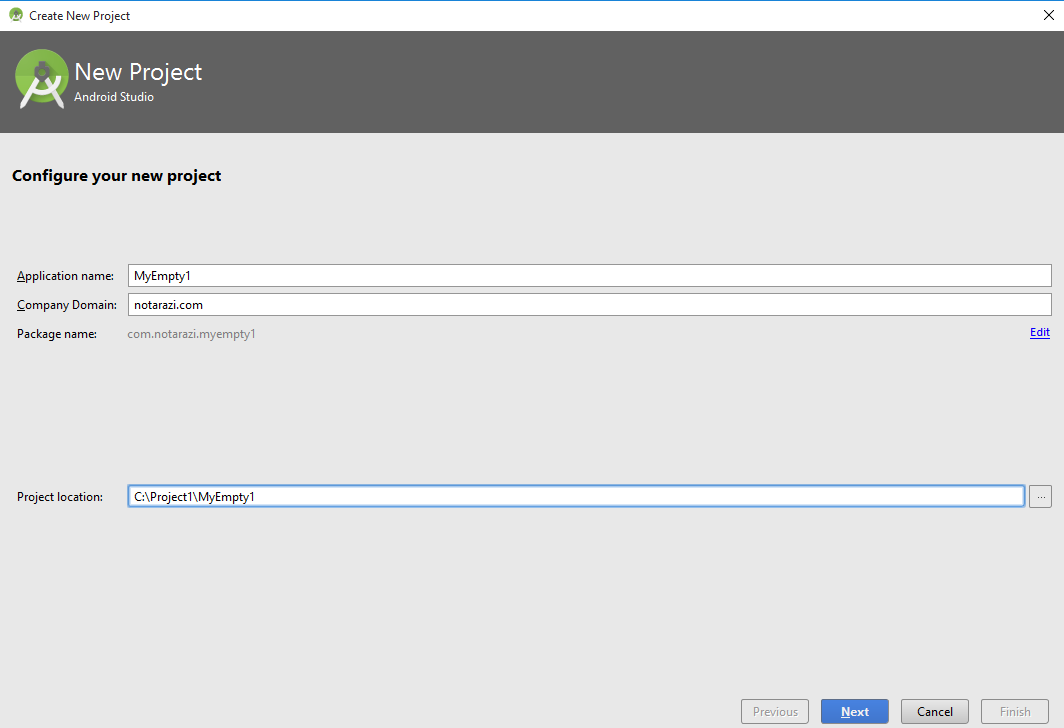
1.1) Configure New Project
Application Name: MyEmpty1
Company Domain: notarazi.com
Package Name: com.notarazi.myempty1 (auto-generated)
Project Location: C:\Project1\MyEmpty1\ (auto-generated)
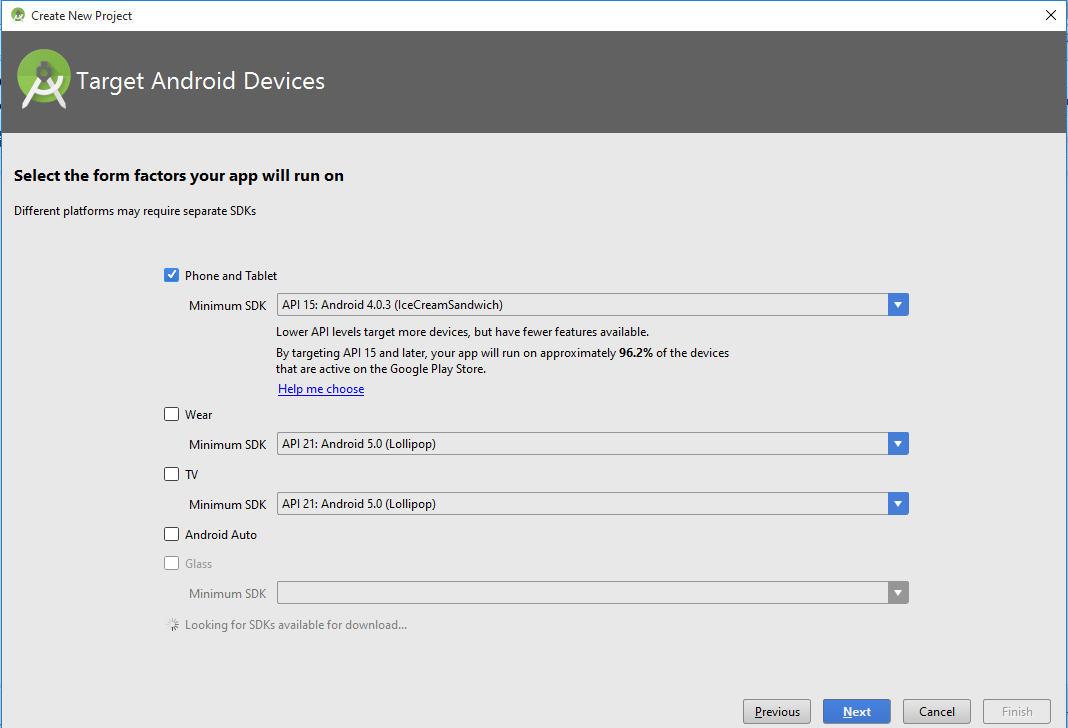
1.2) Select Target Device
1.3) Add Activity
Select Empty Activity.
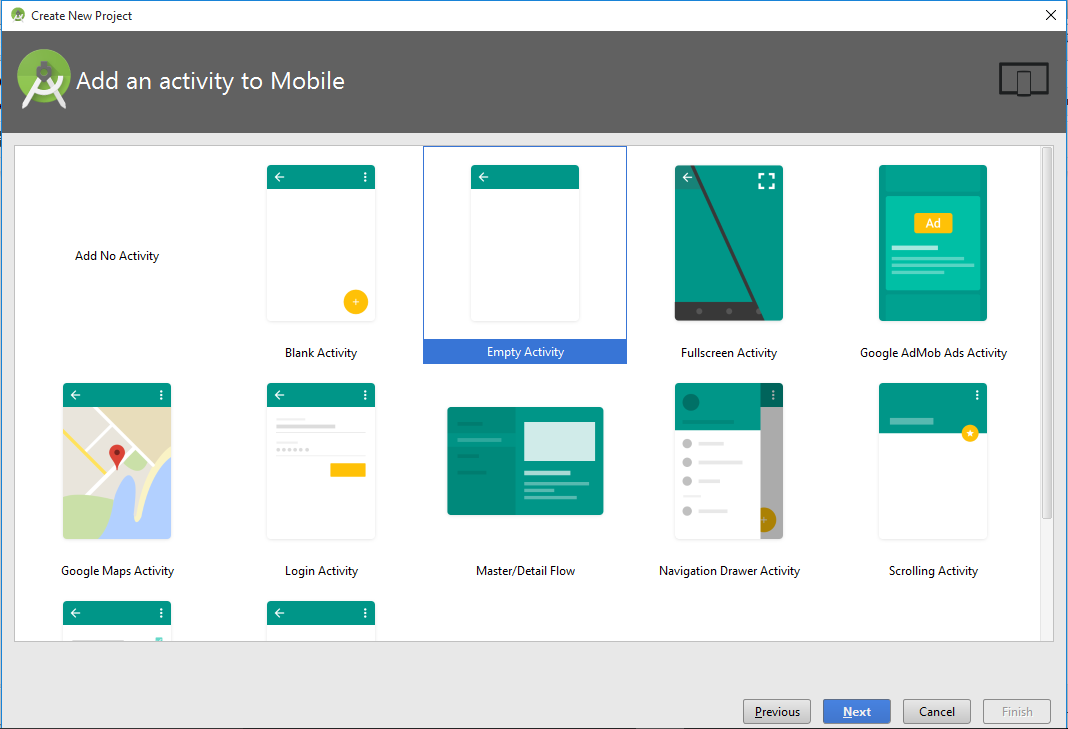
1.4) Customize the Activity
Accept defaults.

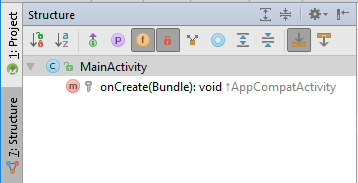
2) Observe the project codes
2.1) build.gradle (module:app)
apply plugin: 'com.android.application'
android {
compileSdkVersion 23
buildToolsVersion "23.0.2"
defaultConfig {
applicationId "com.notarazi.myempty1"
minSdkVersion 15
targetSdkVersion 23
versionCode 1
versionName "1.0"
}
buildTypes {
release {
minifyEnabled false
proguardFiles getDefaultProguardFile('proguard-android.txt'), 'proguard-rules.pro'
}
}
}
dependencies {
compile fileTree(dir: 'libs', include: ['*.jar'])
testCompile 'junit:junit:4.12'
compile 'com.android.support:appcompat-v7:23.1.1'
}
|

2.2) AndroidManifest.xml
<?xml version="1.0" encoding="utf-8"?>
<manifest xmlns:android="http://schemas.android.com/apk/res/android"
package="com.notarazi.myempty1">
<application
android:allowBackup="true"
android:icon="@mipmap/ic_launcher"
android:label="@string/app_name"
android:supportsRtl="true"
android:theme="@style/AppTheme">
<activity android:name=".MainActivity">
<intent-filter>
<action android:name="android.intent.action.MAIN" />
<category android:name="android.intent.category.LAUNCHER" />
</intent-filter>
</activity>
</application>
</manifest>
|

2.3) MainActivity.java
package com.notarazi.myempty1;
import android.support.v7.app.AppCompatActivity;
import android.os.Bundle;
public class MainActivity extends AppCompatActivity {
@Override
protected void onCreate(Bundle savedInstanceState) {
super.onCreate(savedInstanceState);
setContentView(R.layout.activity_main);
}
}
|

2.4) res/layout/activity_main.xml
<?xml version="1.0" encoding="utf-8"?>
<RelativeLayout xmlns:android="http://schemas.android.com/apk/res/android"
xmlns:tools="http://schemas.android.com/tools"
android:layout_width="match_parent"
android:layout_height="match_parent"
android:paddingBottom="@dimen/activity_vertical_margin"
android:paddingLeft="@dimen/activity_horizontal_margin"
android:paddingRight="@dimen/activity_horizontal_margin"
android:paddingTop="@dimen/activity_vertical_margin"
tools:context="com.notarazi.myempty1.MainActivity">
<TextView
android:layout_width="wrap_content"
android:layout_height="wrap_content"
android:text="Hello World!" />
</RelativeLayout>
|
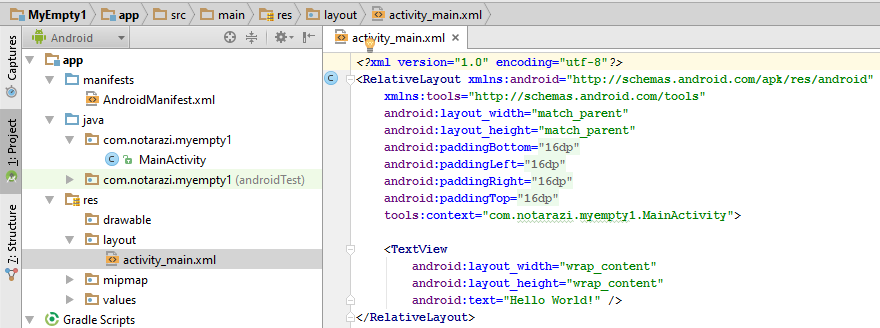
File Naming Convention:
Controller File → MainActivity.java
Layout File → res/layout/activity_main.xml
|
2.5) res/values/strings.xml
<resources>
<string name="app_name">MyEmpty1</string>
</resources>
|
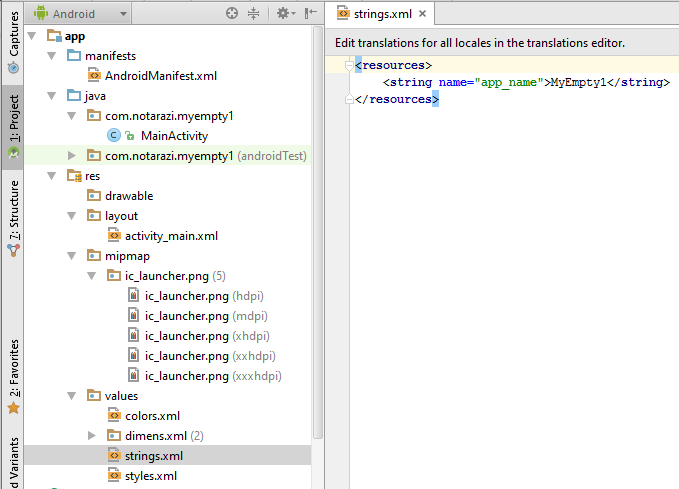
2.6) res/values/colors.xml
<?xml version="1.0" encoding="utf-8"?>
<resources>
<color name="colorPrimary">#3F51B5</color>
<color name="colorPrimaryDark">#303F9F</color>
<color name="colorAccent">#FF4081</color>
</resources>
|
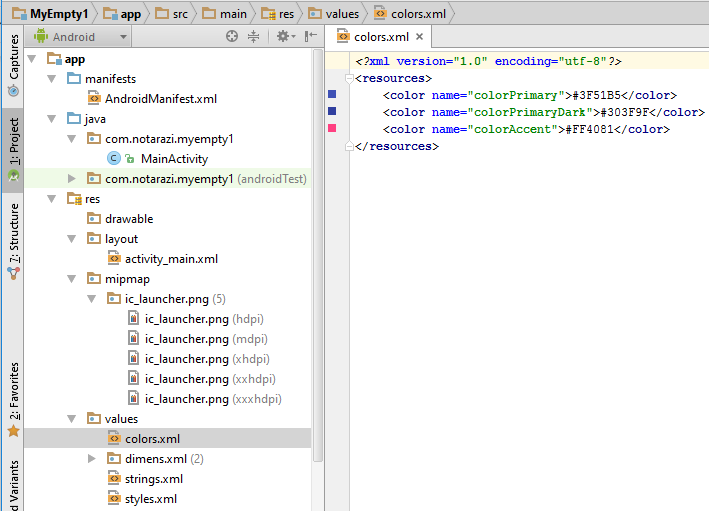
2.7) res/values/dimens.xml
<resources>
<!-- Default screen margins, per the Android Design guidelines. -->
<dimen name="activity_horizontal_margin">16dp</dimen>
<dimen name="activity_vertical_margin">16dp</dimen>
</resources>
|

2.8) res/values/styles.xml
<resources>
<!-- Base application theme. -->
<style name="AppTheme" parent="Theme.AppCompat.Light.DarkActionBar">
<!-- Customize your theme here. -->
<item name="colorPrimary">@color/colorPrimary</item>
<item name="colorPrimaryDark">@color/colorPrimaryDark</item>
<item name="colorAccent">@color/colorAccent</item>
</style>
</resources>
|

DOWNLOAD
.


 on the side navigation.

